




Guix now installs on Trisquel via apt
- Vous devez vous identifier ou créer un compte pour écrire des commentaires

It's gotten a lot easier to install the Guix package manager on Trisquel 11, as "guix" is now a package in the repos.
To install:
sudo apt install guix
Update it:
guix pull
To integrate Guix into the system run these few commands:
guix install glibc-locales

export GUIX_LOCPATH=$HOME/.guix-profile/lib/locale

guix install fontconfig font-dejavu font-gnu-freefont gs-fonts

fc-cache -rv
To install the English-only version of Icecat version 102.9.0esr:
guix install icecat-minimal
Works really well, and installing it is so much easier this way. The 'guix pull' command takes a long time to complete, about a half hour on my system today, but Guix was always slow for me. However, once it installs a program it does work very well.
| Pièce jointe | Taille |
|---|---|
| TrisquelGuixIcecat.png | 1 Mo |
Attached is a screenshot of ungoogled-chromium version 109.0.5414.119 on the XFCE desktop in Trisquel 11. ungoogled-chromium was installed by Guix.
I installed XFCE because the Mate panel was not working and lightdm kept logging me out. Not sure why that happened, but rather than spending time investigating I quickly removed Mate and lightdm and installed XFCE4, which I knew I could start without a login manager with the 'startxfce4' command.
I wonder if Guix somehow caused lightdm and the Mate panel to stop working?

Guix has LibreOffice 7.5.1.2, which is the latest release, whereas Trisquel is still on an older 7.3.7 version.


Try backports (on aramo) to have the latest libreoffice.
But I doubt that backports will have such new versions of KDE apps. I installed a much newer version of okular than what's in the Aramo repo.

 I am a translator!
I already posted the same at https://trisquel.info/fr/forum/guix-aramo-avoid-it-if-you-can including the solution to your login problem with MATE. Perhaps it was another andyprough who asked in the previous thread :)
Oh my gosh you are right, you posted all of this and we even talked about it. No wonder it all seemed so familiar, even though I thought I was discovering something new. I should try your xdg profile trick, that would probably bring Mate back to life.


Those useful instructions had better be in Trisquel's documentation than in its forum. You two or one of you could write a manual on https://trisquel.info/en/wiki/all-manuals
Believe it or not I've never really looked at the Trisquel documentation. Looks like there's a lot that could be added or updated over there. I'll have to think about if I want to do a project like that.
It can actually be with what Avron or you wrote on the forum (the syntax is the same). Well, first introducing Guix with a few sentences and some links would be good, but you can even copy those from Wikipedia. Then, it is nice to update the page when a new version of Trisquel becomes available, unless the same instructions still apply.
No, I mean that if I do the Guix documentation then there's a lot of other things to be added or updated based on my quick review. I'm trying to decide if I want to spend a lot of time on Trisquel documentation in general. It could be a worthwhile project for me.

So much things for have a Abrowser with LibreJS and JShelter, I recommend add that extensions to Abrowser by default -issue solved. Then the users of nonfree software can always disable it.
You are trolling.
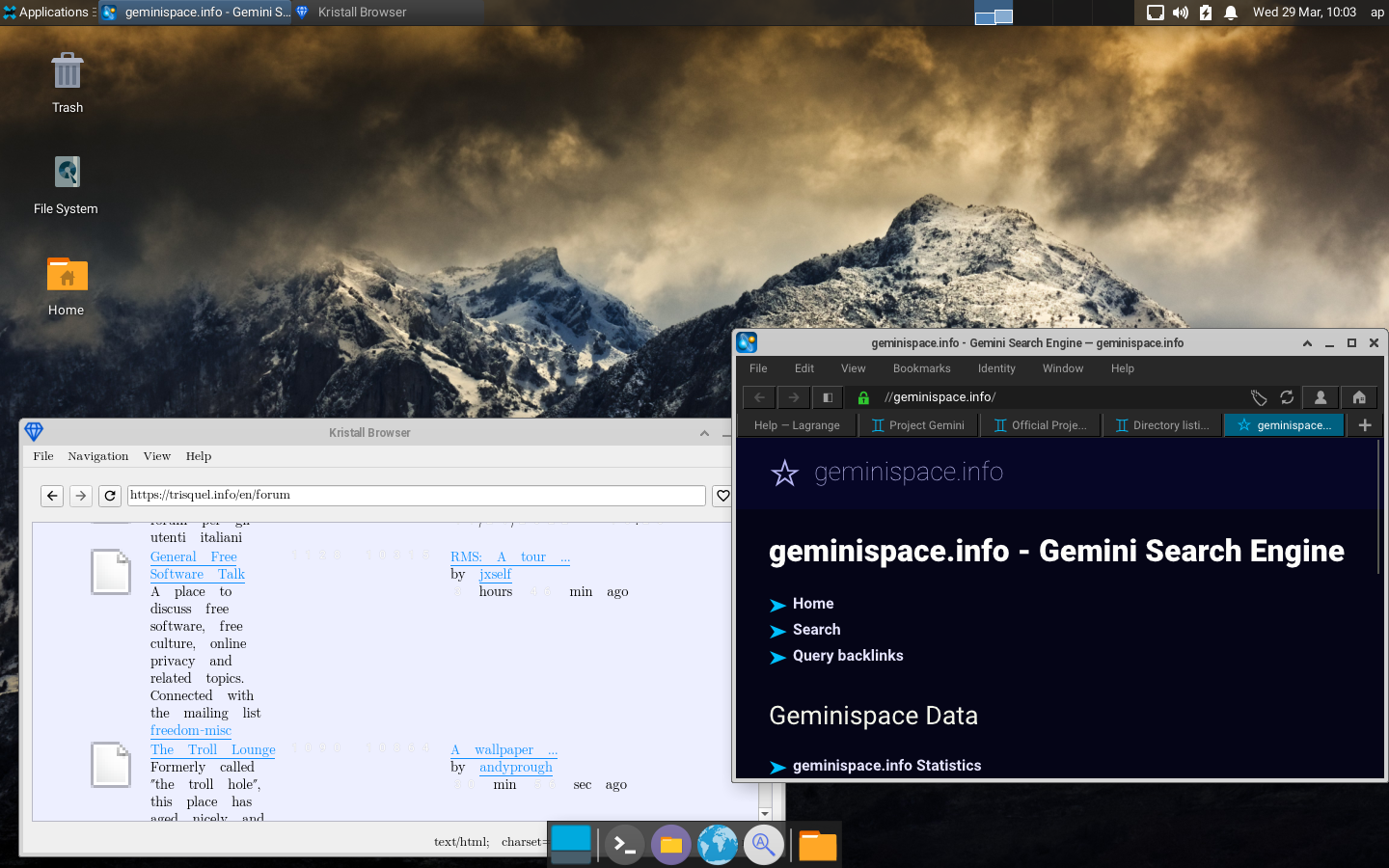
I installed my favorite Gemini space browser, Lagrange (very lovely), along with a Gemini/Gopher/http(s) browser called kristall (not so lovely). These are available by Guix, but not by other normal means from the Trisquel repos.
I'm going to re-post a couple of notes from Avron's earlier Guix thread, just so I have everything in this one thread for my future use.
Avron's Guix update commands:
sudo -i guix pull

sudo systemctl restart guix-daemon.service

guix pull

guix upgrade
I think after updating everything might be a good time to run the garbage collector:
guix gc
Avron's XDG fix (in case logging into the desktop fails after installing Guix) - at the end of your ~/.profile file, paste this line:
export XDG_DATA_DIRS="/usr/local/share:/usr/share/${XDG_DATA_DIRS:+:}$XDG_DATA_DIRS"

I'm having trouble with this. Guix looks awesome btw!
issue:
 sudo -i guix pull

Updating channel 'guix' from Git repository at 'https://git.savannah.gnu.org/git/guix.git'...

Authenticating channel 'guix', commits 9edb3f6 to 6311493 (50 143 new commits)...

Building from this channel:

  guix      https://git.savannah.gnu.org/git/guix.git	6311493

Backtrace:

In ice-9/boot-9.scm:

  1752:10 18 (with-exception-handler _ _ #:unwind? _ # _)

In unknown file:

          17 (apply-smob/0 #)

In ice-9/boot-9.scm:

    724:2 16 (call-with-prompt _ _ #)

In ice-9/eval.scm:

    619:8 15 (_ #(#(#)))

In guix/ui.scm:

  2166:12 14 (run-guix-command _ . _)

In ice-9/boot-9.scm:

  1752:10 13 (with-exception-handler _ _ #:unwind? _ # _)

  1752:10 12 (with-exception-handler _ _ #:unwind? _ # _)

  1747:15 11 (with-exception-handler # …)

In guix/scripts/substitute.scm:

   765:15 10 (_)

   527:19  9 (process-substitution # _ "/gnu/store/…" …)

In guix/utils.scm:

    222:4  8 (decompressed-port _ _)

In lzlib.scm:

    592:2  7 (make-lzip-input-port #)

   290:25  6 (_)

   290:25  5 (_)

In ice-9/boot-9.scm:

  1685:16  4 (raise-exception _ #:continuable? _)

  1685:16  3 (raise-exception _ #:continuable? _)

  1780:13  2 (_ #<&compound-exception components: (#<&assertion-fail…>)

  1685:16  1 (raise-exception _ #:continuable? _)

  1685:16  0 (raise-exception _ #:continuable? _)

ice-9/boot-9.scm:1685:16: In procedure raise-exception:

Wrong type to apply: #f

substitution of /gnu/store/hy7djnb5zcc5cszasf4ss39nyxp2nrs2-libtiff-4.2.0-doc failed

guix pull: error: some substitutes for the outputs of derivation `/gnu/store/b7rgn9czp9qfdfrpyrz8ndj5dqfzrjw9-libtiff-4.2.0.drv' failed (usually happens due to networking issues); try `--fallback' to build derivation from source
I've upgraded from Nabia to Aramo.
I am a translator!
I have no idea about that particular error.
Sometimes, I have errors when running "guix pull" or "guix package update". In this case, I retry later (like next day) and so far, it always worked at the next attempt. I don't know whether the issue was a temporary network issue or that some repository was being updating at the same time (since these operations take time, I suspect that repo update at the same time has non negligible chance to occur).
Do you reboot before/after guix pull's? I find that guix needs some reboots for good working and integration of menu items.
I am a translator!
I am not using applications from guix so often and I have very few installed (2 or 3), so I did not notice much related to guix pulls. I understand that what should make a change would be the action afterwards to update.
About "integration of menu items", I can't remember whether the icons showed up in the mate menus automatically or I had to configure them. I usually wait a week to a month between two "guix pull", I reboot my desktop probably a bit more often than that but not so much more.
My approach now is to use guix as little as I can. Previously, I had been trying many things but updates were very painful, I realized that I had no real need for most things and I feel that the only way to improve my knowledge of guix would be to use it as a distro, but I did not feel a strong enough motivation so far (apart from Trisquel, I only played with Parabola).
Agreed, that's been my approach in the past. This time I'm trying to use it as much as possible, to test and see how much I can get out of it as a package manager.
I tried rebooting before/after but the problem persists. Maybe I just wait and give it some time, as Avron adviced. There are some packages which I'd like to have. It supposed to be easier/safer than downloading sources and building packages by myself.
I'll try to remember to do a Guix pull later tonight and check to see if I'm getting a similar error.
One update - if you only need utf8 locales for de_DE, el_GR, en_US, fr_FR, or tr_TR, then instead of running
guix install glibc-locales
as in my step #3 in the first post, instead you can install the much (MUCH!!!) smaller glibc-utf8-locales package:
guix install glibc-utf8-locales

I used to be a GUIX user on my computer. Some disadvantages make me switch to Trisquel GNU/Linux.
I have a question:
- Does "guix pull" mean to compile from source? I dont know why my computer was starting hot when I launched guix pull.

> - Does "guix pull" mean to compile from source?
Yes.
Guix' package definitions are in fact guile source code. hen you pull new definitions, they get compiled and this may take even a few dozens of minutes depending on your hardware.
Also, for simplicity, Guix doesn't separate the definitions from the package manager. They live in the same git repo and are pulled and compiled together. This choice was made to allow Guix' APIs to be more easily improved, without the need to ensure compatibility with possibly ancient package definitions in a repo user forgot to update. So, after you run `guix pull`, you get the newest Guix in ~/.config/guix/current/bin/guix and that Guix has the newest packages
- Vous devez vous identifier ou créer un compte pour écrire des commentaires